
How To Install Peacock on Firestick, Install Peacock from the Amazon Appstore

Alex


 How To Install Peacock on Firestick, Install Peacock from the Amazon Appstore

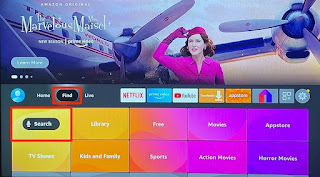
On the Fire TV home screen, navigate to the Find tab and select Search

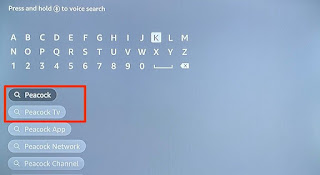
Enter peacock in the search field and select Peacock TV or Peacock App in the search suggestions.

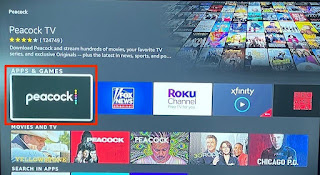
Select the Peacock app icon in the “Apps & Games” section.

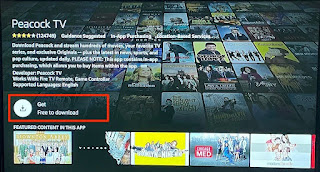
Afterward, select Get (or Download) to install the app on your Fire TV Stick.

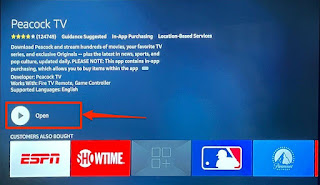
Select Open to launch the app and sign in with your account information or create a new account on the streaming platform.

You won’t find Peacock TV Fire in the Appstore if you reside in a non-US region. In that case, you have two options: change your Amazon account’s country to the United States or sideload the Peacock TV app.


Post a Comment

Cookie Consent
We serve cookies on this site to analyze traffic, remember your preferences, and optimize your experience.
Oops!
It seems there is something wrong with your internet connection. Please connect to the internet and start browsing again.
AdBlock Detected!
We have detected that you are using adblocking plugin in your browser.
The revenue we earn by the advertisements is used to manage this website, we request you to whitelist our website in your adblocking plugin.
Site is Blocked
Sorry! This site is not available in your country.